How to build a gym website in Framer that fills classes
NS. Studio · 2026-10-06
People who visit a gym's website have three questions: when are the classes, who are the coaches, and what does it cost? A good gym site answers all three in under a minute and then makes booking a free trial the obvious next step. Here is what to include, and how to build it in Framer.
The pages a gym site needs
- Home that shows the energy of the place and leads to a free trial.
- Classes with a weekly schedule people can scan by day.
- Coaches with a page per coach: photo, speciality, years of experience and a short bio.
- Membership with clear plans, a comparison table and an FAQ that handles objections like contracts, pausing and guest passes.
- Free trial / Contact with a short form that actually sends.
Make the schedule easy to read
A schedule is the page regulars open most. Split it into days with tabs rather than one long table, show the time, class name and coach on each row, and make sure it works on a phone, because that's where people check it.
Put coaches in the CMS
Coaches change. If each coach is a CMS item, adding a new one is a form, not a redesign, and every coach gets their own page that can rank in search for "[name] personal trainer [city]".
Give people a reason to stay on the page
An interactive element, like a BMI calculator or a "find your program" picker, keeps visitors engaged and gives you a natural moment to suggest a class. Keep it honest and simple.
Membership pricing that converts
Show three plans at most, highlight one, and put a comparison table and FAQ directly underneath. Most people who leave a pricing page do it because of an unanswered question, not the price.
A template that already does this
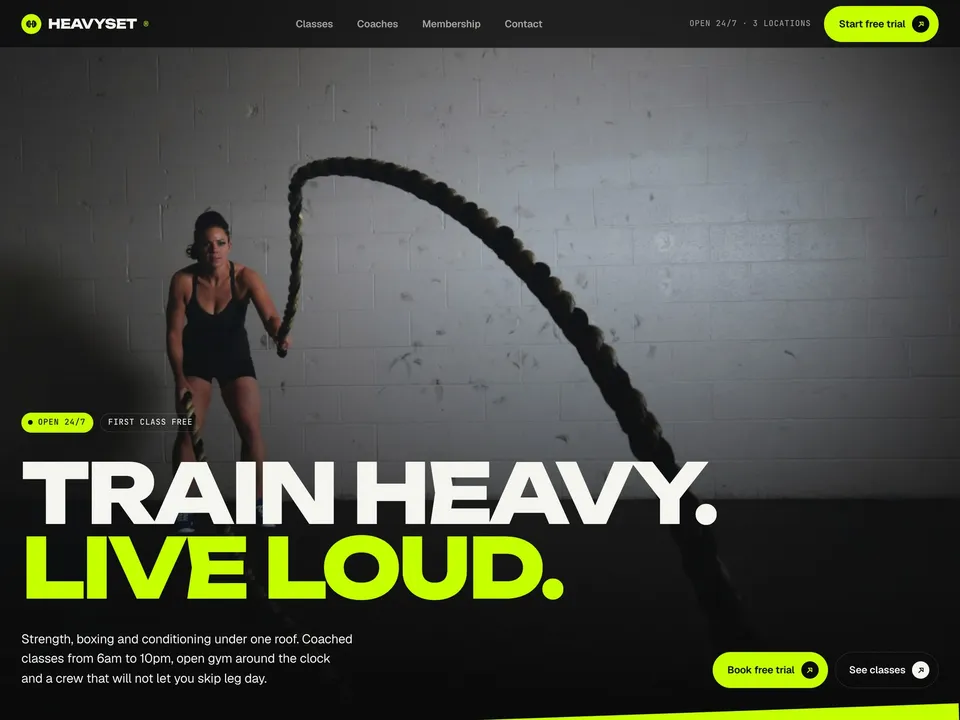
Heavyset is a Framer template built for exactly this: a home page with loud type and motion, a Classes page with a weekly schedule and day tabs, a Coaches CMS with a profile page for each coach, Membership with plans, a comparison table and an FAQ, a working free-trial form, and an interactive BMI calculator. It has desktop, tablet and phone layouts on every page.
Remix it, swap the photos and class names, set your prices and publish. Open the live demo to click through it first.