About Budget Planner
Budget Planner is a yearly budget spreadsheet for Excel and Google Sheets. You type in your transactions; the monthly view, the year overview and the charts fill themselves in.
What it does
- Setup: choose the year and your categories (up to 25), mark each one income or expense and give expenses a monthly budget.
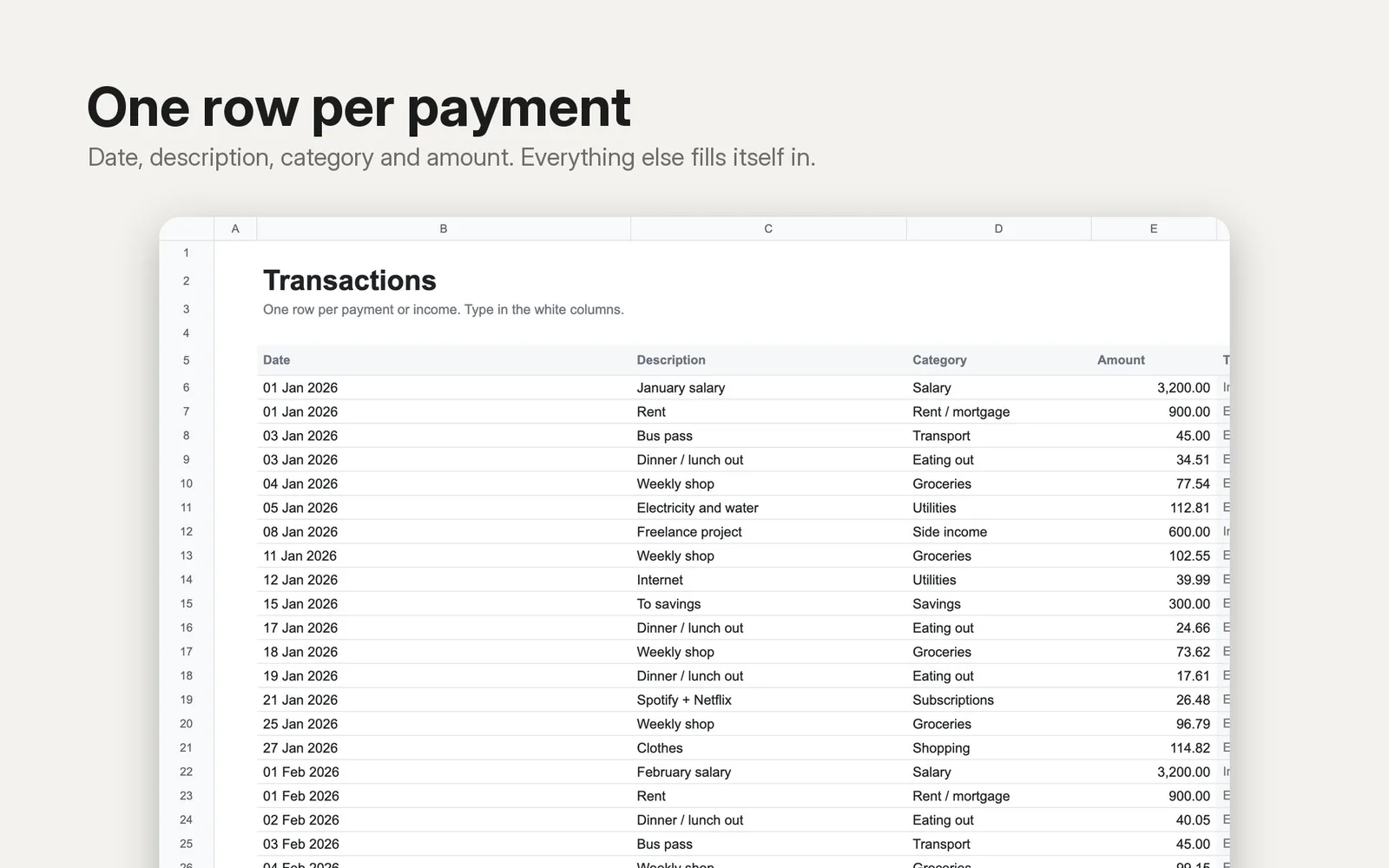
- Transactions: one row per payment or income (date, description, category from a dropdown, amount). Room for 1,000 rows.
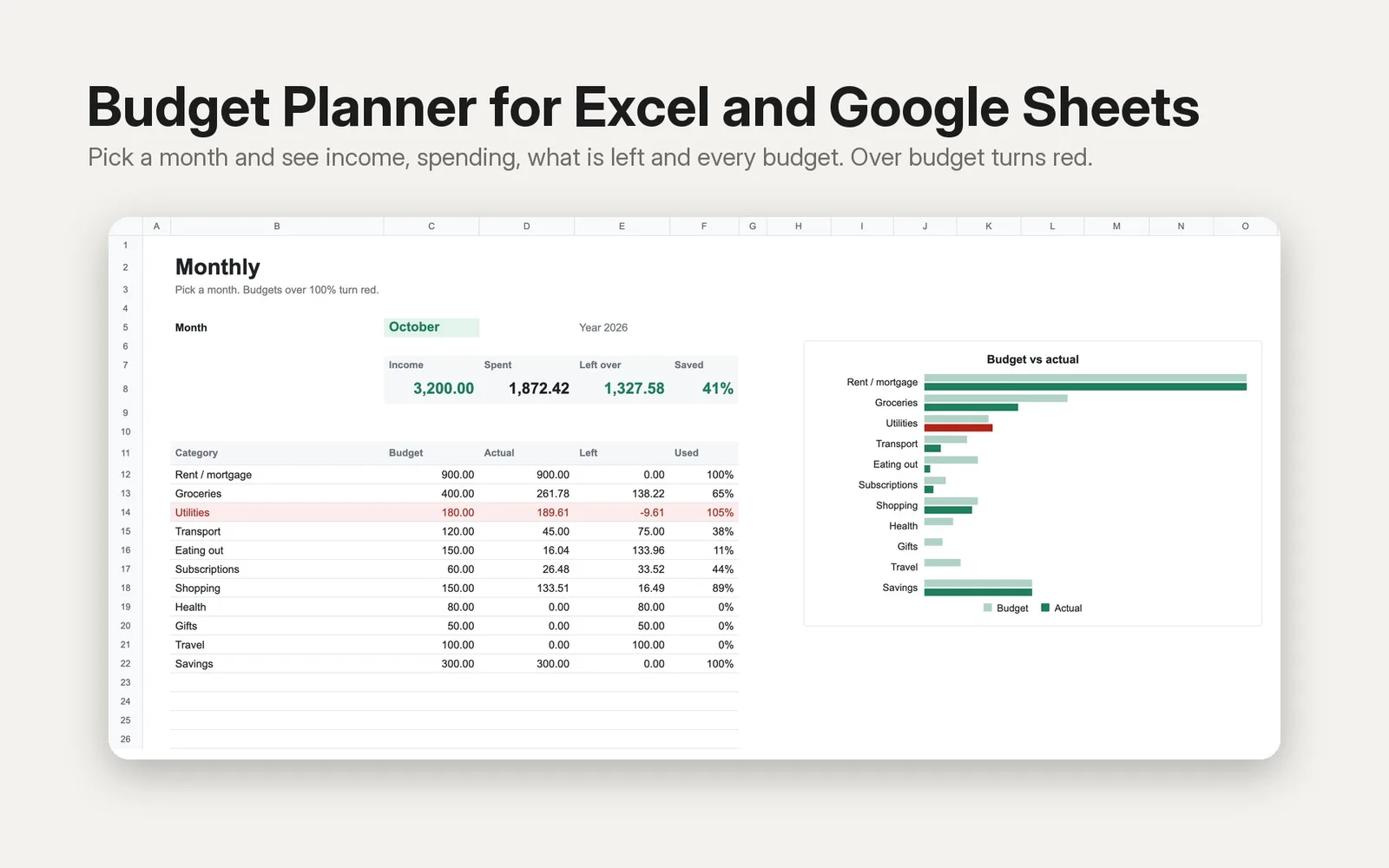
- Monthly: pick a month from a dropdown and see income, spending, what is left over and your savings rate, plus budget vs actual for every category. Categories over budget turn red. Includes a budget vs actual chart.
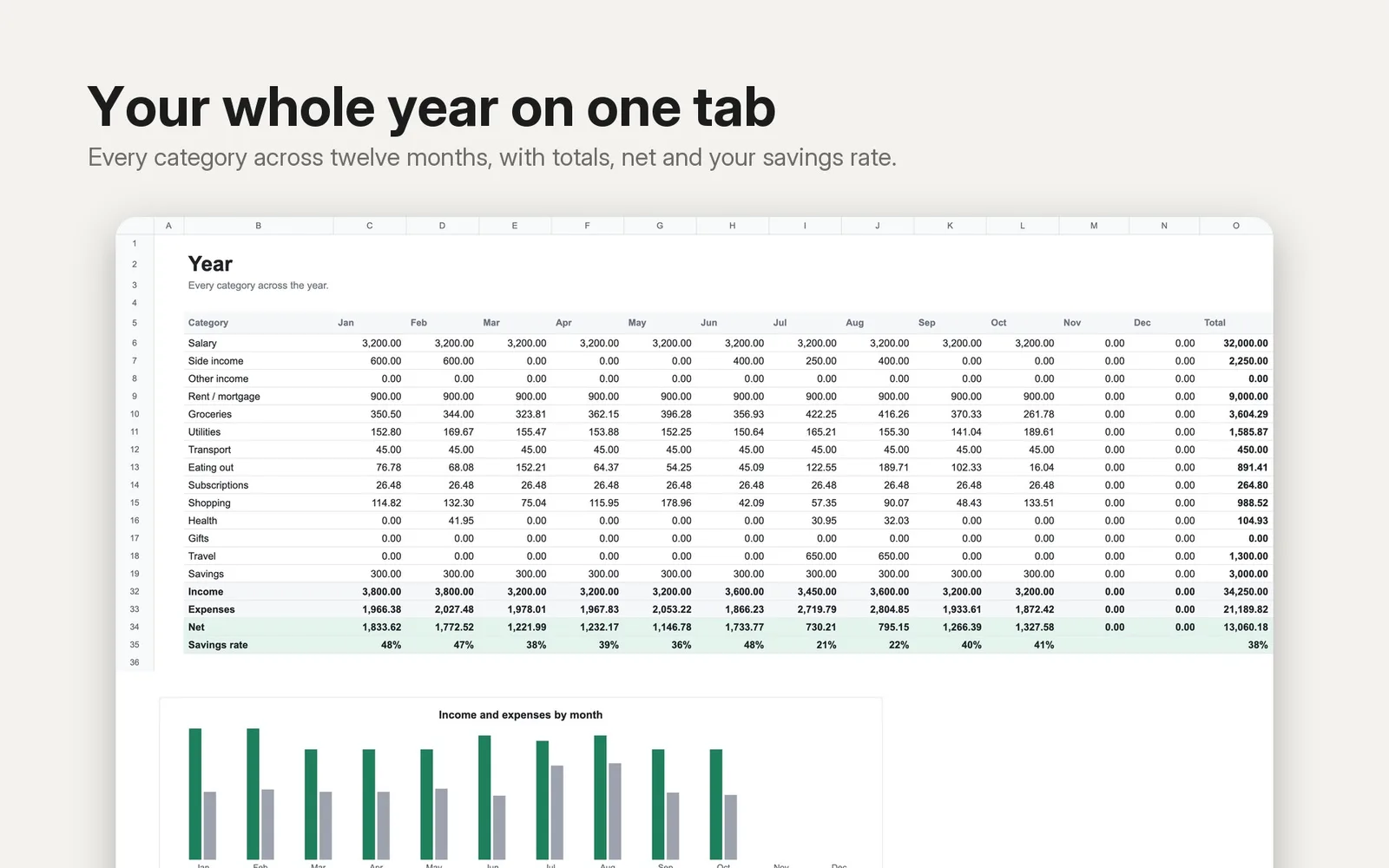
- Year: every category across all twelve months with totals, net per month, savings rate and an income vs expenses chart.
What you get
- Budget-Planner-Blank.xlsx: ready for your own numbers.
- Budget-Planner.xlsx: the same file filled with ten months of sample transactions, so you can see how it works.
Good to know
- Opens in Microsoft Excel. For Google Sheets, use File → Import → Upload.
- Uses plain formulas only (no macros, no add-ons, no scripts).
- Amounts have no currency symbol, so it works with any currency.
- The images are taken from the sample file. Charts take on the look of your spreadsheet app.
- Prefer Notion? Finance OS, a Notion template for the same job, is also in the shop.