Ogee setup guide: the 3D ribbon, projects and contact form
NS. Studio · 2026-10-30
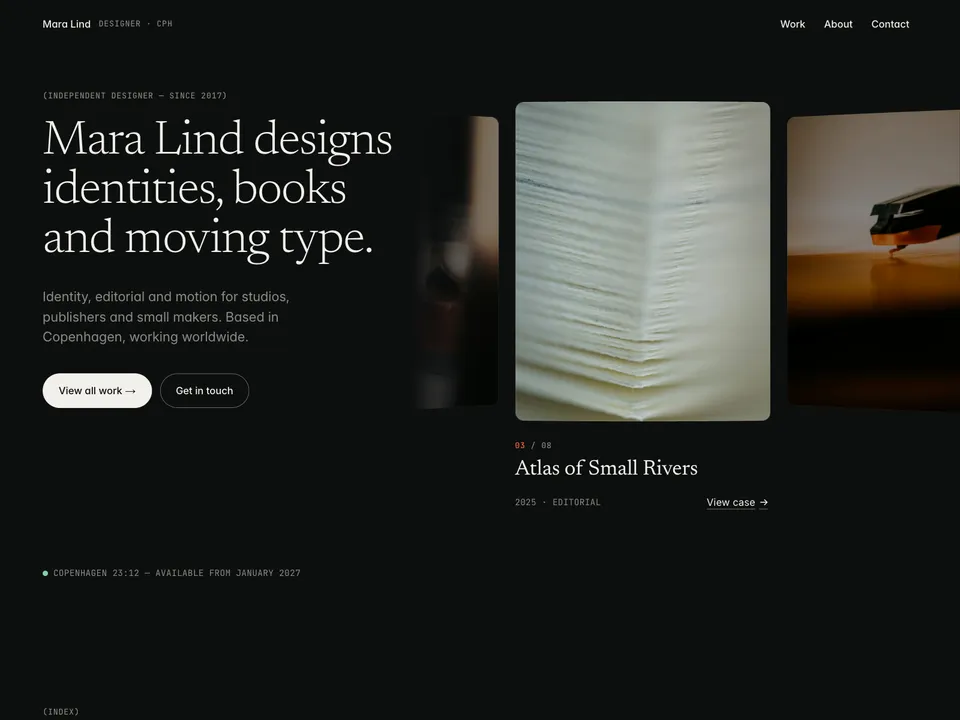
Ogee is a free portfolio for independent designers and small studios, with a curved 3D ribbon of your projects on the home page. This guide covers what to change after you remix it. Keep the live demo open in another tab to compare.
1. Headline and availability
- Change the name, the "Independent designer since…" line, the headline and the short intro.
- The availability line is the LocalTime component: select it and set the city, the time zone (an IANA name such as
Europe/Copenhagen), 12 or 24 hours and the availability text.
2. Projects in the CMS (and the ribbon)
One Projects collection drives the 3D ribbon, the Work grid, the numbered index and the case pages. Add a project in the CMS and it appears on the ribbon.
- Fill in title, year, category, client, role, summary, cover, gallery and the body text.
- Use landscape covers at least 1600 px wide; they become the ribbon cards.
- Six to ten projects look best on the ribbon. Delete the samples you don't replace.
3. Ribbon settings
- Select the ribbon and adjust colours, fonts, card radius, curvature, card gap, focus position and the hint text in the right panel.
- In the Framer editor the ribbon shows a still poster. Open Preview or the published site to see it move.
- Phones get a swipe list, visitors with reduced motion get a grid, and browsers without WebGL get a scrolling row. You don't need to set anything for these.
4. About and contact
- Edit the bio, services, selected clients and recognition on the About page.
- The Contact page form (name, email, budget, message) uses Framer's form submissions: select it and set where submissions go in the right panel, then send yourself a test from the published site.
- Change the email address and the Instagram, Are.na and LinkedIn links in the footer.
Publish and connect your domain
Click Publish to go live on a free framer.website address. To use your own domain, upgrade the project to a Framer site plan, open Site Settings, Domains, add the domain and copy the DNS records Framer shows into your domain registrar. It usually works within an hour.
Before you publish, open Site Settings, General and replace the title, description and social image with your own, so search results and link previews show your name and not the demo's.
Tools that help
- Cal.com for "Get in touch": a free scheduling link synced with your calendar, next to the contact form. New users get 20% off for 12 months through our link.
- Mobbin for case-study research: a library of real app and web screens to benchmark against when you explain your design decisions.
Some links on this page are affiliate links. If you sign up, NS. Studio may earn a commission at no extra cost to you.
Need a hand?
If you'd rather not set Ogee up yourself, template setup starts at $79.