Velia setup guide: your work, your call button, your domain
NS. Studio · 2026-10-28
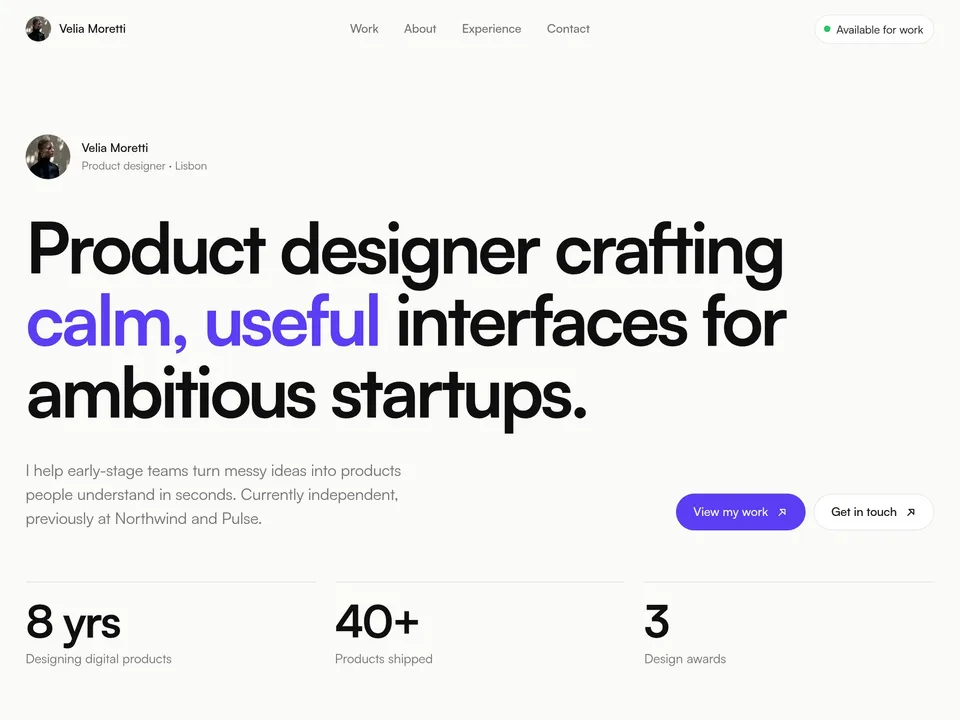
Velia is a free one-page portfolio for product and UI designers, with a case-study page for every project. This guide covers what to change after you remix it, in order. Keep the live demo open in another tab to compare.
1. The intro and the numbers
- Change the name in the navigation, the "Product designer · Lisbon" line and the headline. The headline animates word by word, so keep it to one sentence.
- The "Available for work" badge is plain text: change it, or delete it when you are booked.
- Replace the three stats (years, products shipped, awards) with numbers you can stand behind, or remove the row.
2. Your projects in the CMS
Open the CMS from the left panel. Each item in the work collection is one project: a card in "Selected work" on the home page and its own case-study page under /work/.
- Fill in the title, year, type, cover image and the client and role details.
- The case study is three short parts: the problem, the approach and the outcome. One honest paragraph each beats a long essay; put a number in the outcome if you have one.
- Delete the sample projects you don't replace. Four strong projects is plenty.
3. About, services, experience and the quote
These sections are on the home page. Edit the text directly, update the skill tags, and change the experience rows to your own roles. Replace the testimonial with a real quote, or delete the section until you have one.
4. The contact buttons
In the demo, the email address and the "Book a 20-min intro call" button both open an email. Select each one and change its link in the right panel:
- Email:
mailto:you@yourdomain.com - Call button: your scheduling link, for example a Cal.com event. A booked call is an easier yes for a client than writing an email.
Update the social links in the footer too (Dribbble, LinkedIn, Instagram, Read.cv), or delete the ones you don't use.
Publish and connect your domain
Click Publish to go live on a free framer.website address. To use your own domain, upgrade the project to a Framer site plan, open Site Settings, Domains, add the domain and copy the DNS records Framer shows into your domain registrar. It usually works within an hour.
Before you publish, open Site Settings, General and replace the title, description and social image with your own, so search results and link previews show your name and not the demo's.
Tools that help
- Cal.com for the call button: a free scheduling link synced with your calendar. New users get 20% off for 12 months through our link.
- Mobbin for case-study research: a library of real app and web screens to benchmark against when you explain your design decisions.
- Granola for the intro calls themselves: it takes notes on your Mac during the call (no bot joins the meeting) and turns them into a summary you can paste into the proposal. Free plan for the first meetings.
Try Cal.com Try Mobbin Try Granola
Some links on this page are affiliate links. If you sign up, NS. Studio may earn a commission at no extra cost to you.
Want more?
Margin Notes is the paid version for working designers: a full case-study CMS, a live availability line with your local time, a contact form with budget and a phone menu. If you'd rather not set Velia up yourself, template setup starts at $79.