J-Cut setup guide: upload your reel and set the timecodes
NS. Studio · 2026-10-30
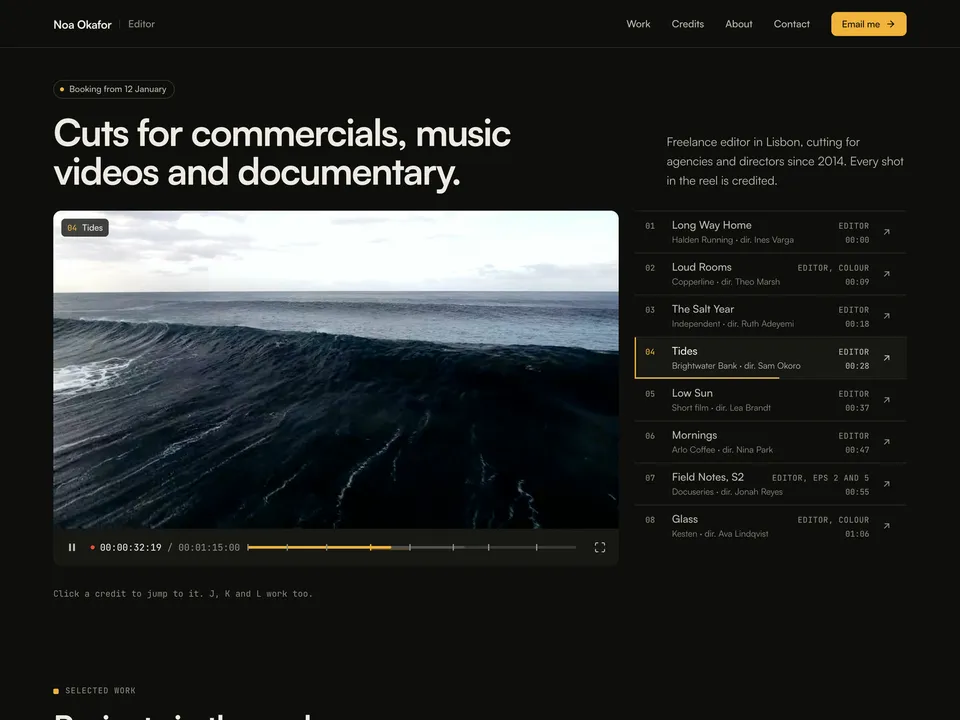
J-Cut is a free showreel site for freelance video editors. The reel plays at the top, the credit list follows along, and clicking a credit cuts the reel to that project. This guide covers what to change after you remix it. Keep the live demo open in another tab to compare.
1. Export and upload your reel
- Export your reel as one MP4: 720p H.264 under about 20 MB works best. Write down the start and end timecode of every project in it.
- Select the Reel Player and upload the file as Video. Set FPS to your reel's frame rate (24, 25 or 30) so the timecode matches your edit.
- If your reel has sound, turn on Sound Button. The reel autoplays muted on the home page.
2. Projects and timecodes in the CMS
Open the CMS from the left panel. The Work collection has 8 sample projects; each is a credit row next to the player and its own page.
- Fill in client, director, year, your role, format, where it ran, summary, credits, poster and the watch link.
- Type each project's Reel In and Reel Out timecodes. They decide where a click on the credit jumps to and which part loops on the project page. J-Cut doesn't read chapters from Vimeo or YouTube.
- Set Next Project on each item so the work pages link through in order.
3. Credits, about and contact
- Edit the credits table, the about text and the tools list on the canvas.
- Change "Booking from…", the email address in the "Email me" button and the social links. J-Cut has no contact form.
Publish and connect your domain
Click Publish to go live on a free framer.website address. To use your own domain, upgrade the project to a Framer site plan, open Site Settings, Domains, add the domain and copy the DNS records Framer shows into your domain registrar. It usually works within an hour.
Before you publish, open Site Settings, General and replace the title, description and social image with your own, so search results and link previews show your name and not the demo's.
Tools that help
- Cal.com for booking enquiries: a free scheduling link synced with your calendar, so producers can book a call about dates. Link it next to the email button. New users get 20% off for 12 months through our link.
Some links on this page are affiliate links. If you sign up, NS. Studio may earn a commission at no extra cost to you.
Need a hand?
If you'd rather not set J-Cut up yourself, template setup starts at $79.