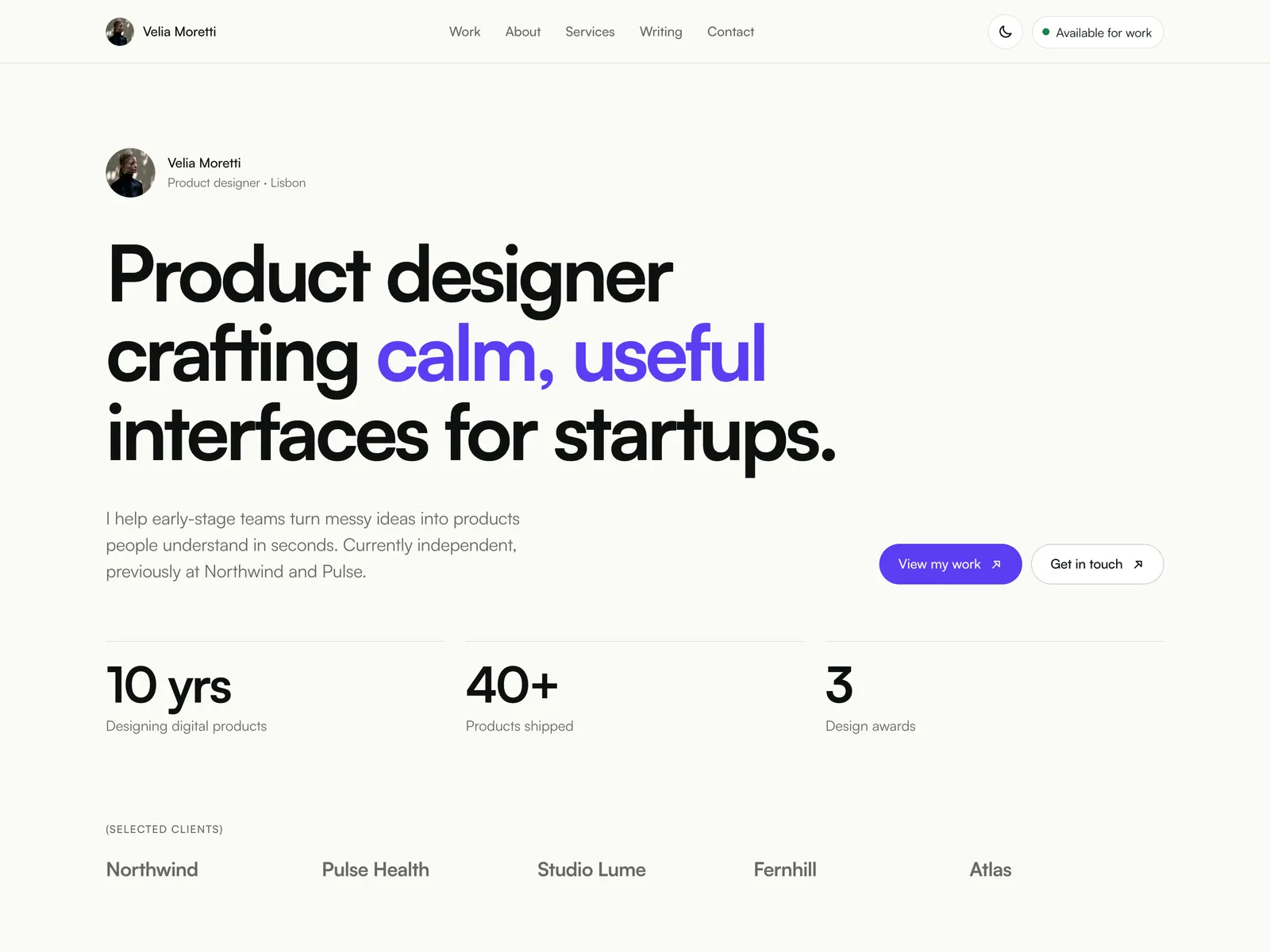
About Velia Pro
For product and UI designers who like the calm, one-person feel of Velia but need a full portfolio site: case studies, an about page, services with prices, a blog and a contact form, in light and dark.
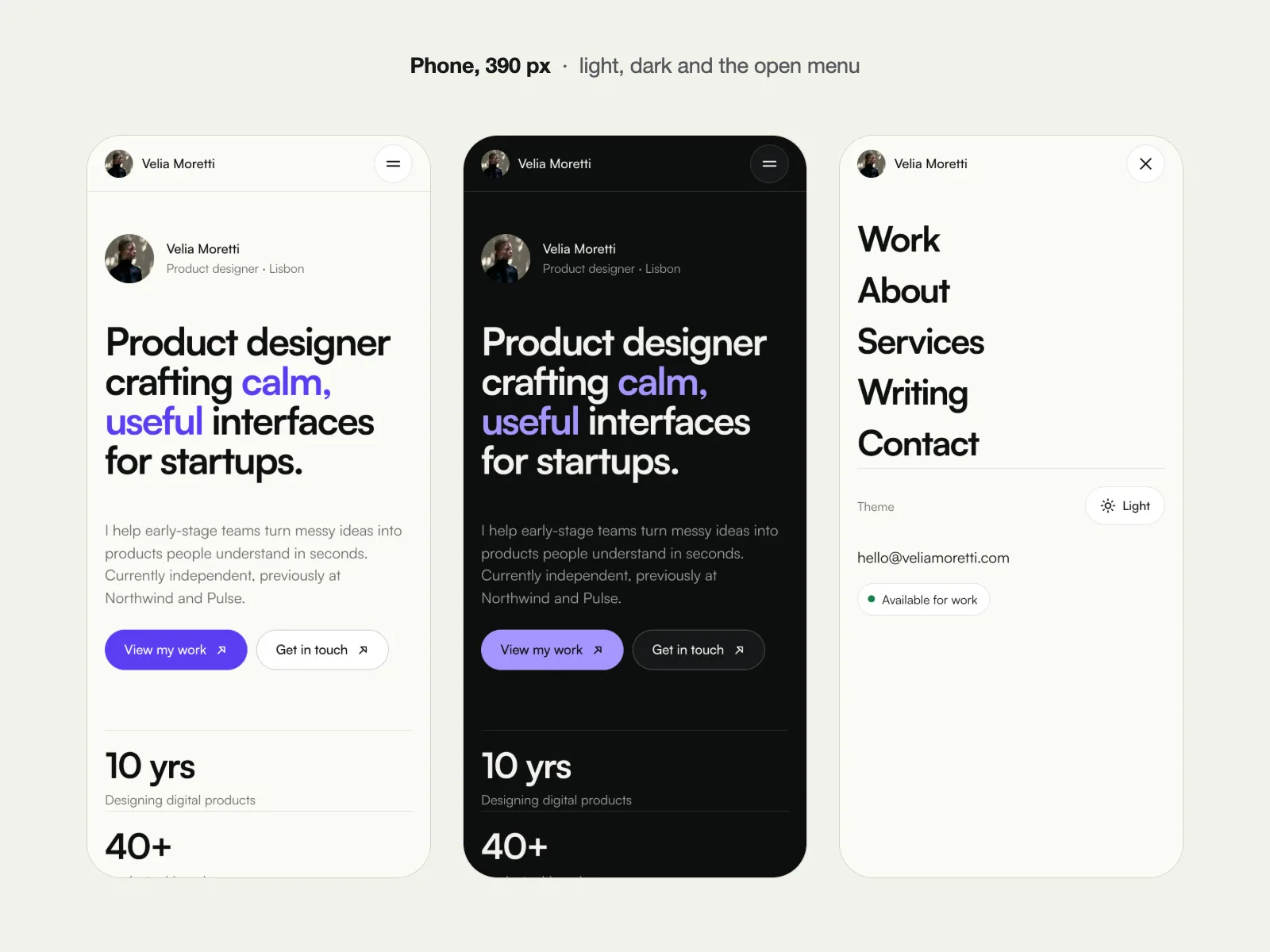
Velia Pro is a separate Framer template built from the free Velia portfolio and extended to nine pages. It keeps the same type (Satoshi), the same violet accent and the same quiet layout, and adds dark mode with a theme toggle, a Services page with pricing and an FAQ, a Writing blog and a Contact page with a real Framer form.
What you get
- A remix link to the full Framer project. Open it while signed in to Framer and the whole site is copied into your account.
- The setup guide (on your purchase page): editing content and the CMS, switching palettes, dark mode settings, connecting the form, SEO.
- Nine pages: Home, Work, case study (CMS), About, Services, Writing, article (CMS), Contact and 404.
- Dark mode on every page: every colour style has a light and a dark value, and the site follows the visitor's device setting.
- Theme toggle in the nav and the phone menu (System, Light, Dark), remembered per visitor on every screen size, plus a Start In setting for the default theme.
- 4 colour palettes (Violet, Forest, Clay, Mono): Violet is built in; hex values for the other 3 are in the included setup guide. You switch by pasting four colour values in Assets → Colors.
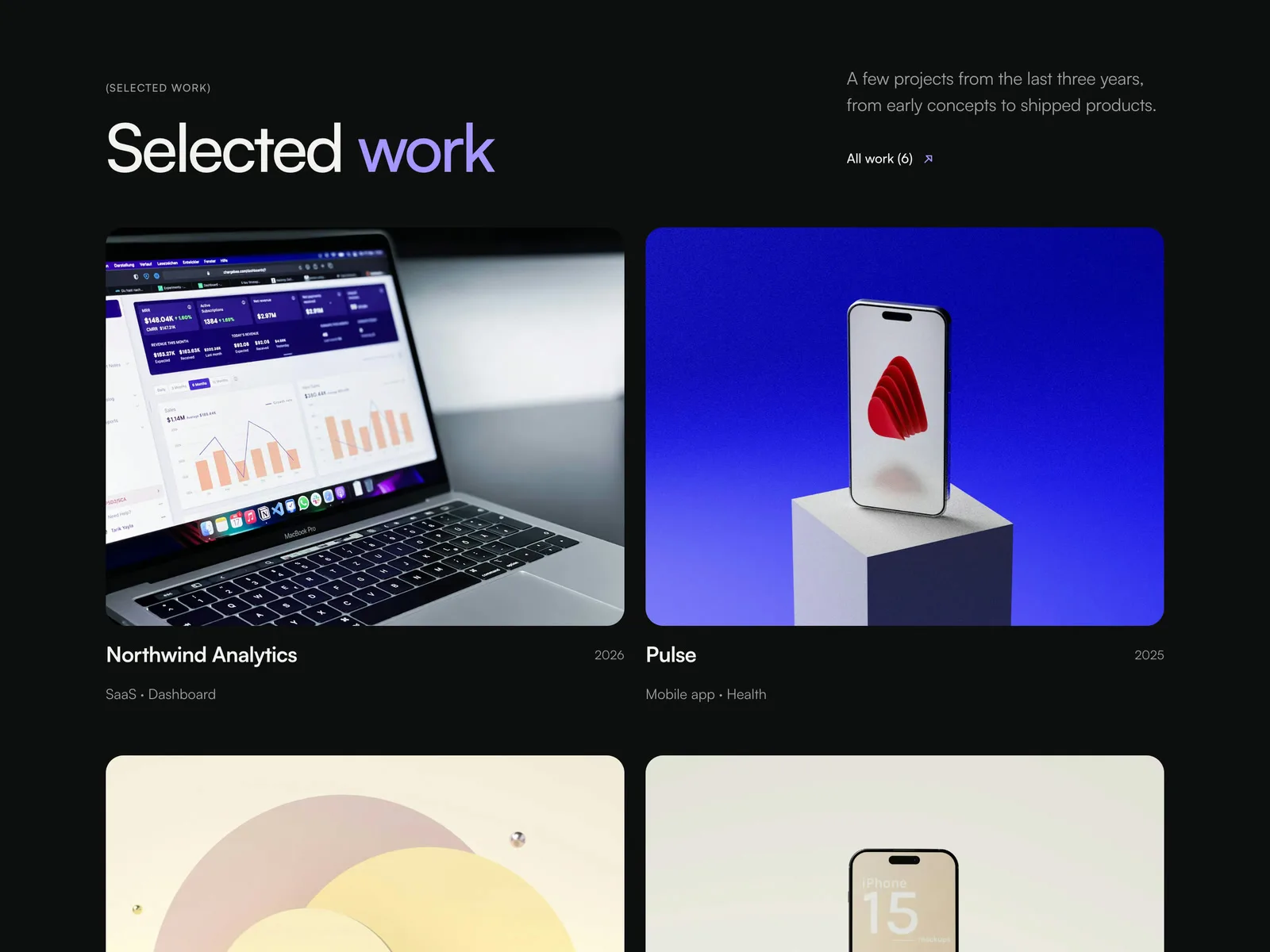
- Work page listing every project.
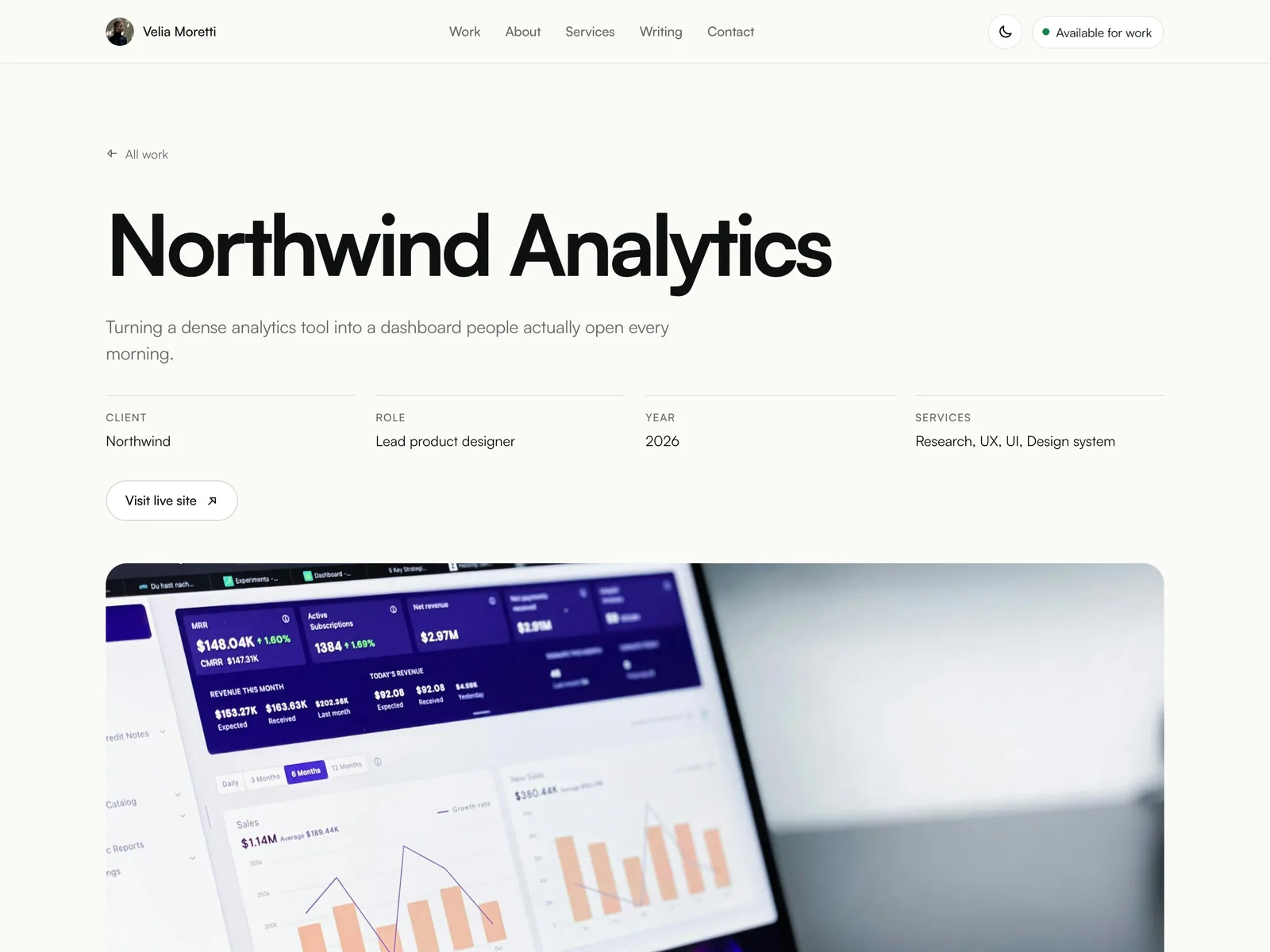
- Richer case-study page: results stats row, pull quote, live-site button, wide image and a services list.
- 6 case studies in the Projects CMS.
- About page: bio, experience timeline, principles, tools and 3 testimonials.
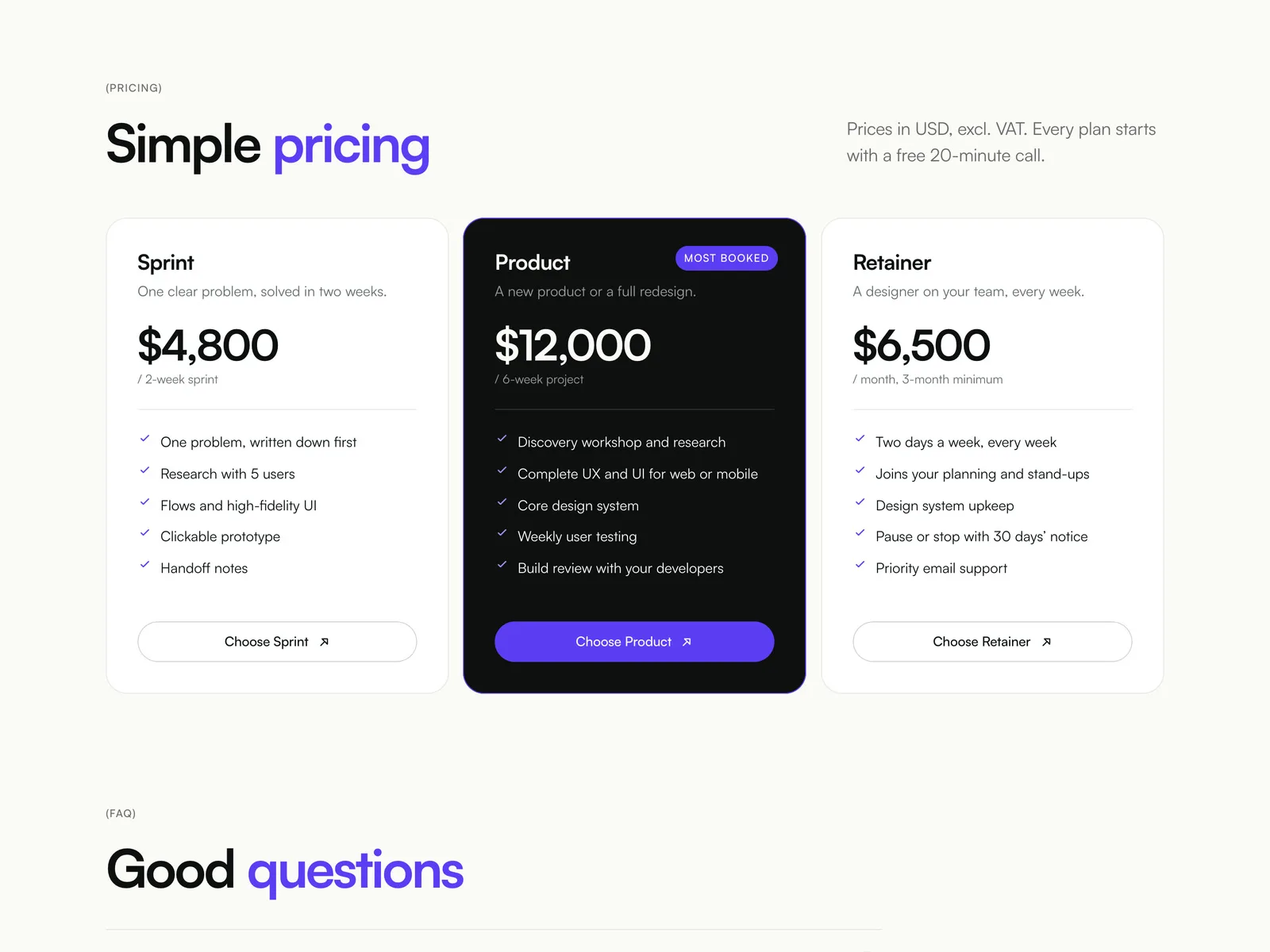
- Services page: 3 services, a 4-step process, 3 pricing plans and an FAQ accordion.
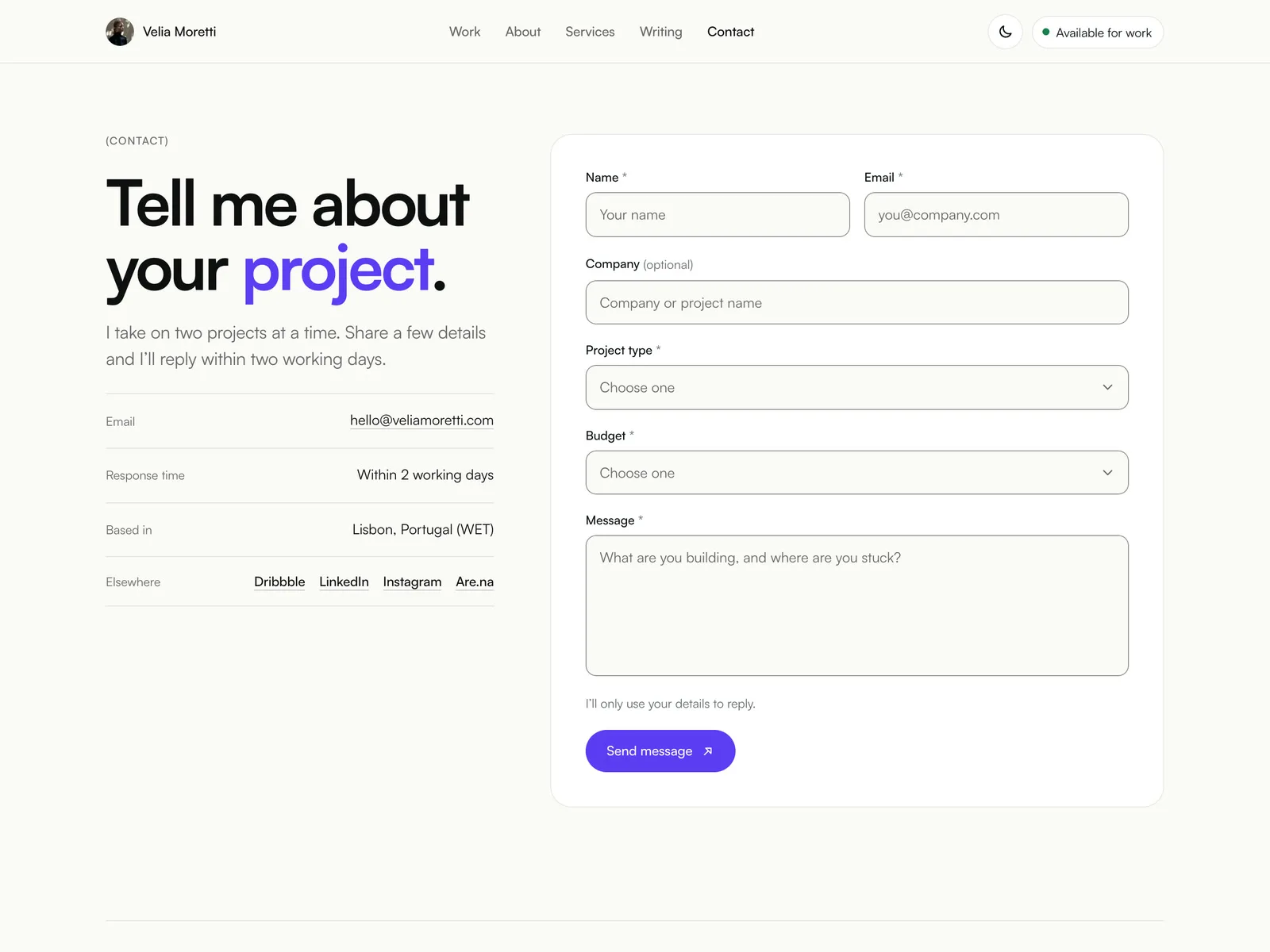
- Contact page with a working Framer form (name, email, company, project type, budget, message) and sending, success and error states.
- Writing: blog index and article page, Posts CMS with 6 articles.
- Phone and tablet menu: a full-screen sheet with every page, the theme switch and your email.
- Bigger footer with page links, socials and a back-to-top link.
- Home updates: an "All work" link, the latest 3 articles, a "Trusted by" text row and links into the new pages.
- Layouts for desktop (1440), tablet (810) and phone (390).
Velia (free) vs Velia Pro
- Pages: free has Home, case study and 404. Pro has Home, Work, case study, About, Services, Writing, article, Contact and 404.
- Case studies (CMS): free has 4. Pro has 6, with results stats, pull quote, live-site link and wide image.
- Blog: free has none. Pro has a Writing CMS with 6 articles and an article page.
- Services and pricing: free has 3 service cards. Pro has a Services page with process, 3 pricing plans and FAQ.
- Contact: free has an email link. Pro has a Contact page with a working Framer form (6 fields, sending/success/error states).
- Dark mode: free has none. Pro has it on every page, following the visitor's system, plus a theme toggle.
- Colour presets: free has Violet. Pro has Violet built in plus 3 more palettes as hex values (setup guide).
- Phone menu: free has none. Pro has a full-screen menu with the theme switch.
- Font: Satoshi in both.
Velia Pro is its own template. It does not change or add anything to a free Velia copy you already have.
Good to know
- Velia Moretti, her clients, prices, quotes, numbers and articles are made up. The photos are from Unsplash. Client names are plain text, not real logos.
- The contact form uses Framer's built-in forms. After remixing, choose where submissions go (Framer's form inbox, email, or a webhook or integration) in the Form settings. Framer's form limits for your site plan apply.
- A visitor whose saved theme choice, or your Start In setting, differs from their device setting can see the device theme for a split second while the page loads. Then the chosen theme applies.
- Palettes are switched by editing four colour styles, not with a one-click switch in the editor.
- No newsletter signup, no CMS filtering or search, no multiple languages.
- You need a Framer account. A free account is enough to remix, edit and publish on a free framer.website address, where Framer shows its "Made in Framer" badge. Connecting your own domain needs a paid Framer site plan.
FAQ
How do I get it? Right after purchase you get a Framer remix link and the setup guide on your purchase page (your receipt email links to it). Open the link and the full project is copied into your Framer account, ready to edit.
Do I need a paid Framer plan? Not to remix, edit and publish on a free framer.website address. To use your own domain you need a Framer site plan.
Can I use it for client work? Yes. Buy one copy per site you launch, for yourself or for a client.
Can I get a refund? Because you get the full project instantly, all sales are final. Check the live demo before buying, and email me if something doesn't work as described.