About Workback
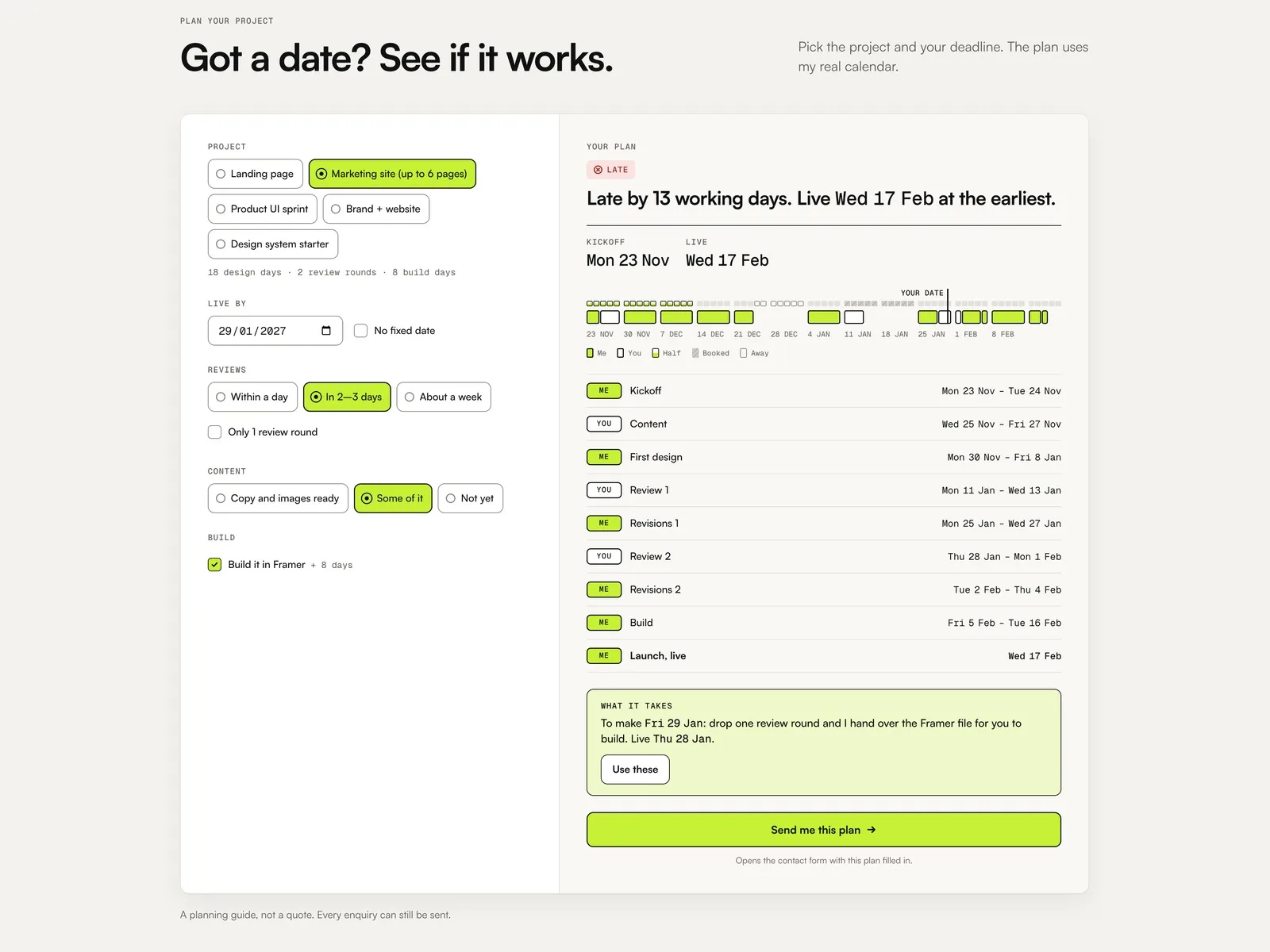
Workback is a free portfolio template for independent web and product designers who work with clients. Every client asks the same first question: can you have it live by this date? On a Workback site they answer it themselves. They pick a project, their deadline, how fast they review and how ready their content is, and the planner checks it against the bookings you enter. It shows Fits, Tight or Late in working days, the kickoff and live dates and every milestone, and "Send me this plan" opens the contact form with the whole plan filled in.
What you get
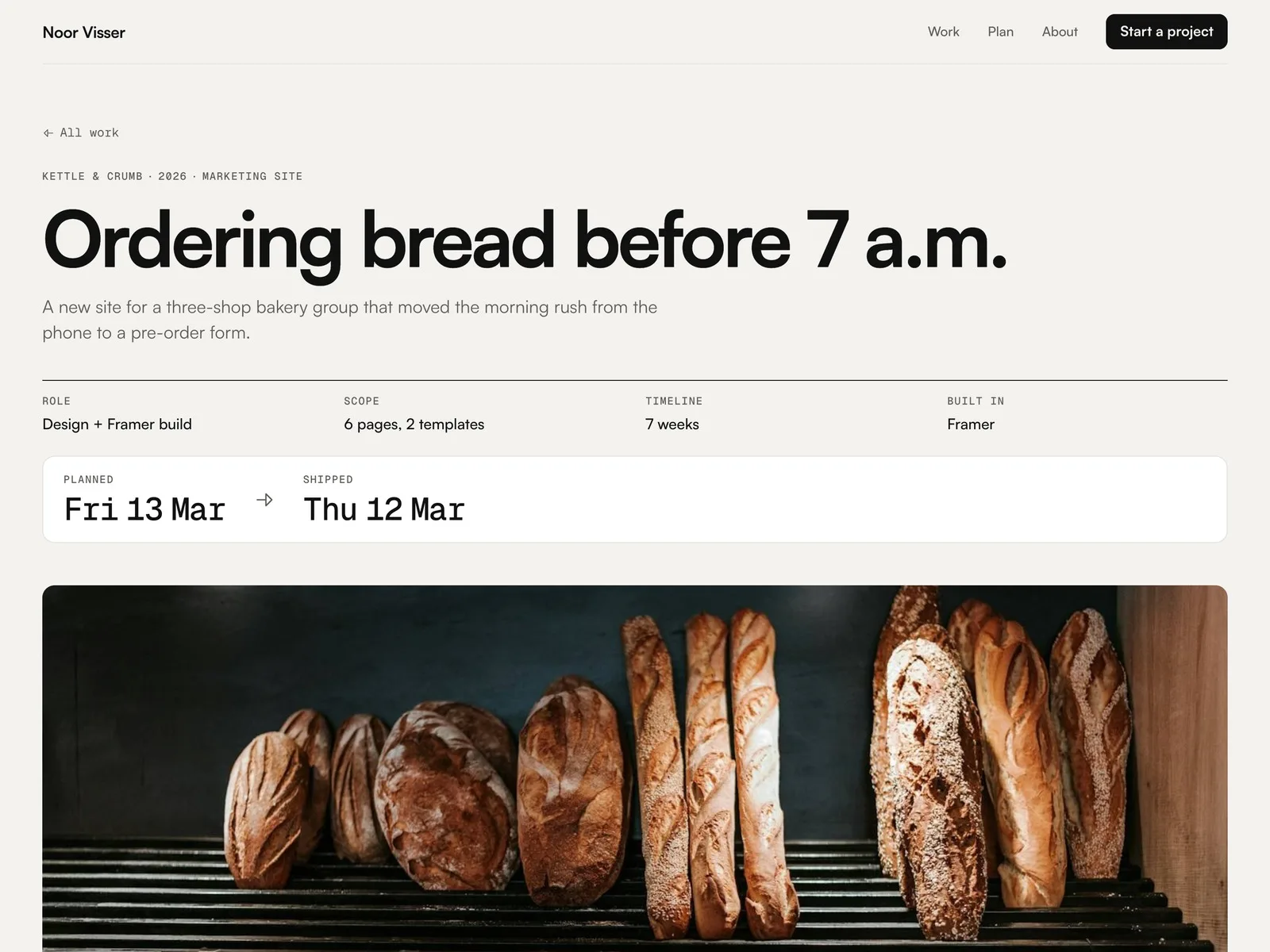
- The full Framer project with 5 page types: Home, a page per case study (CMS), About, Contact and 404
- 2 CMS collections: 6 sample case studies (client, year, type, role, scope, timeline, brief, 3 outcome metrics, a planned vs shipped row, process text, 3 images with alt text and a Next Case field) and 5 Packages
- Workback Planner (code component): project, deadline or no fixed date, review speed, content readiness, one review round fewer and an optional build. Shows Fits, Tight or Late in working days, the kickoff, live and confirm-by dates, a timeline over your booked and away days, and every milestone marked You or Me. When the date is too close, it names the fewest changes that would make it (or the fastest possible plan), and Use these applies them
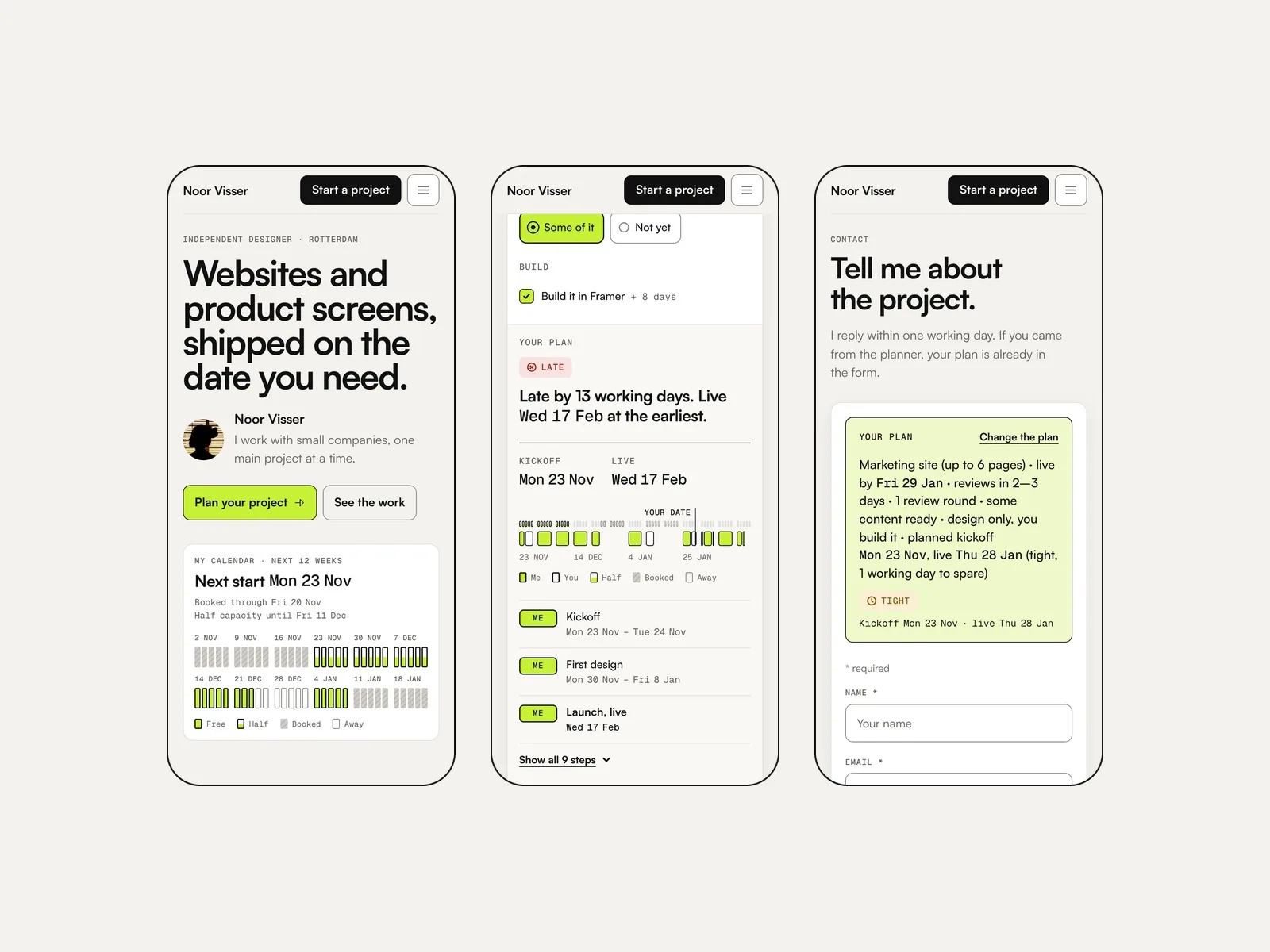
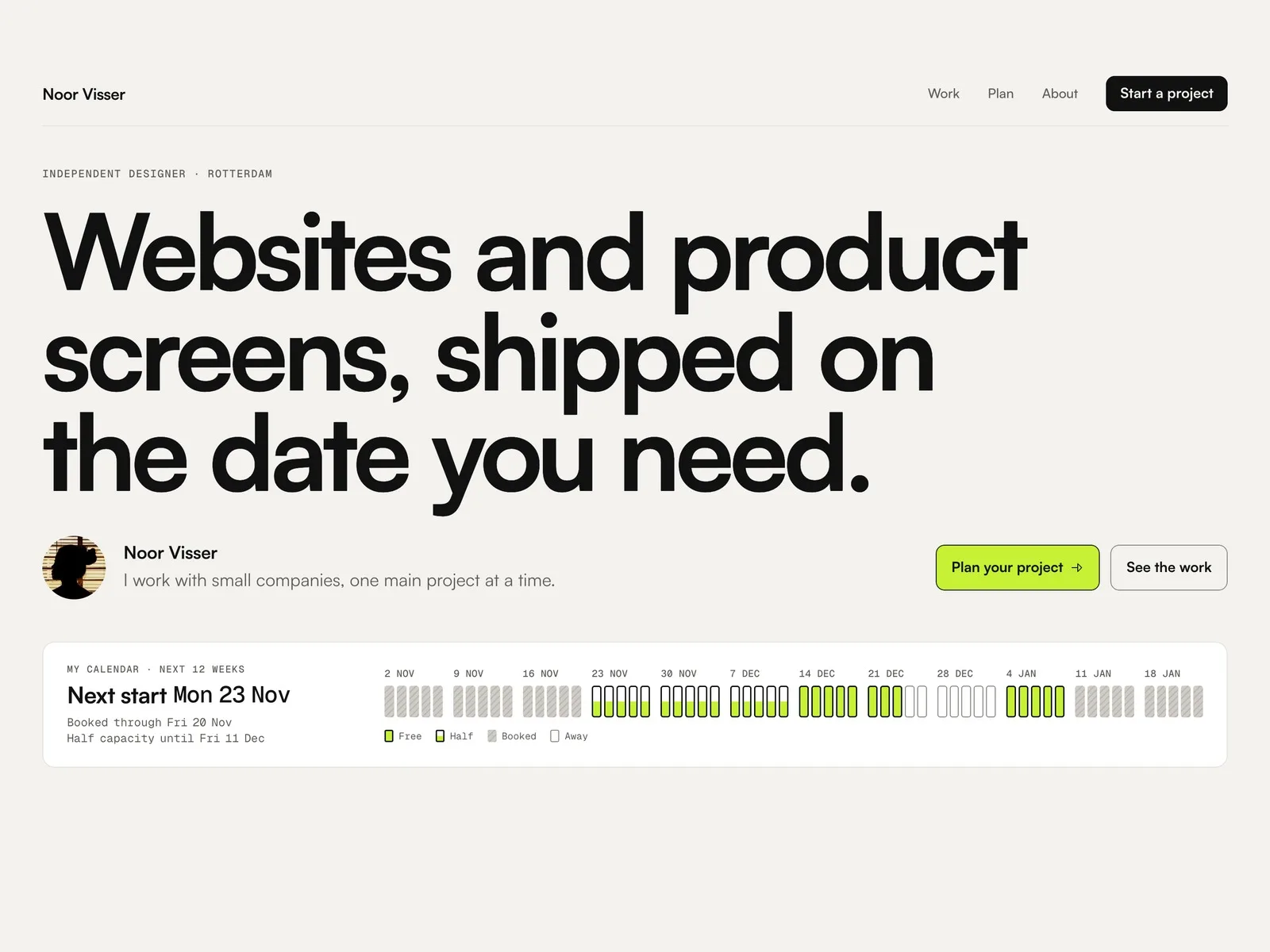
- Workback Queue (code component): your next free start, how long you are booked or at half capacity, and a 12-week calendar strip, from the same bookings as the planner
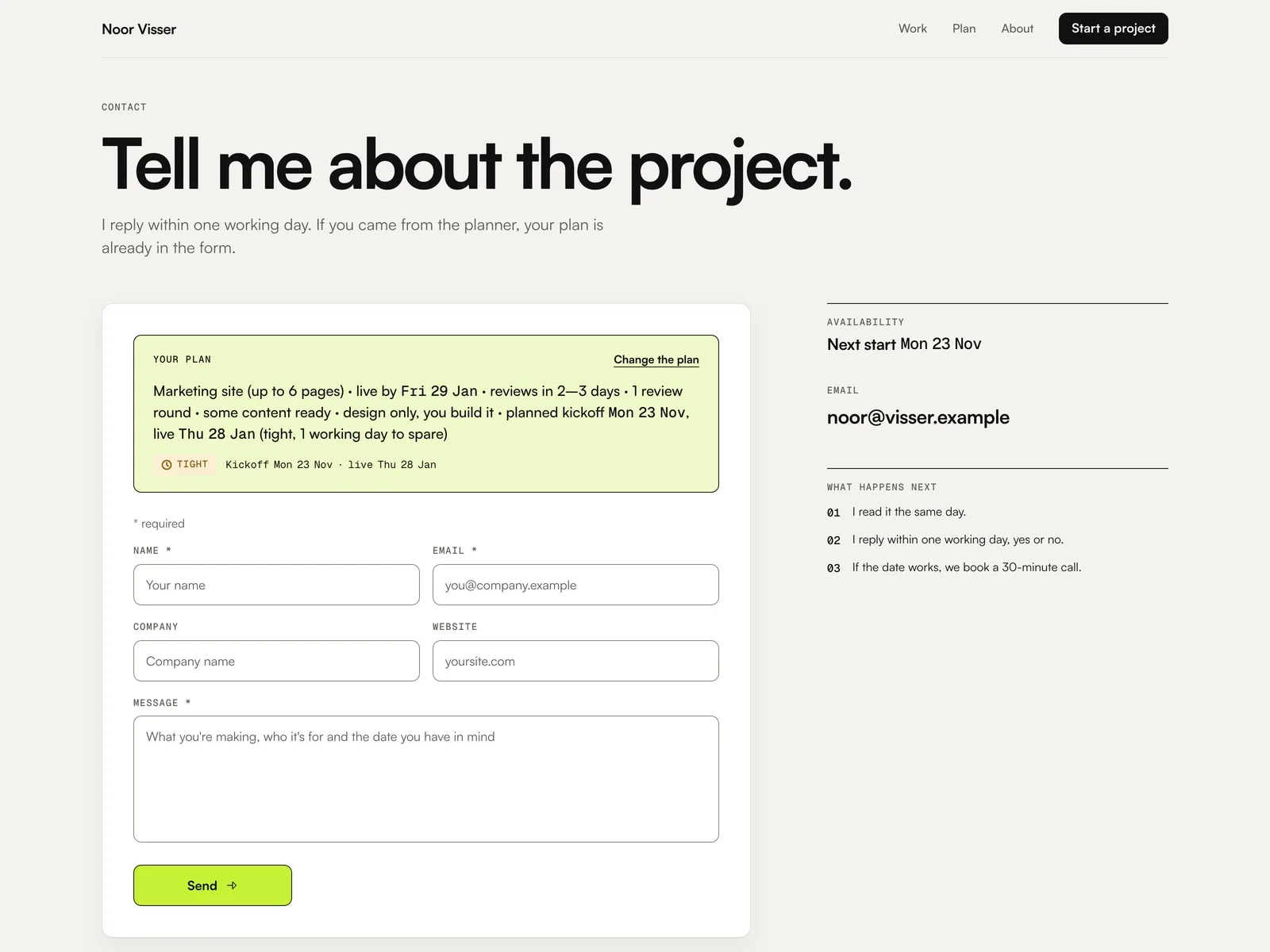
- Workback Summary (code component): shows the plan at the top of the Contact form and sends it as hidden fields: Project, Deadline, Reviews, Content, Build, Kickoff, Live and Verdict
- A working Framer form on Contact with sending, success and error states
- Accessible phone menu. Desktop, tablet and phone layouts. Satoshi and Geist Mono
Good to know
- Noor Visser is a made-up designer; her clients, case studies, numbers and quotes are invented. Photos are from Unsplash, and no real company logos are used
- Your bookings are typed into a text field as booked, half capacity or away. The planner and the calendar strip don't sync with Google Calendar, Cal.com or any other calendar, and they don't hold a slot: update the field when your calendar changes. Each Planner and Queue on the site has its own field, so paste the same text into each
- Most demo bookings are written relative to today (for example +3w) so the demo never looks out of date. Enter real dates (YYYY-MM-DD) for your own site
- Plans count whole working days on your work days; client reviews and content count weekdays. Public holidays count only when you add them as away days
- It is a planning guide, not a quote or a contract. There are no prices in the planner, and every enquiry can still be sent
- Package names in the Packages CMS and in the planner's Packages field are separate; keep them the same when you edit
- Messages go through Framer's built-in form. You choose where they arrive in the form settings. Form limits depend on your Framer plan
- No blog, dark mode, second language, payments or booking deposits
- A free Framer account can remix and publish it on a Framer subdomain with the Framer badge; a custom domain needs a paid Framer plan. Two CMS collections, so it fits the Basic plan